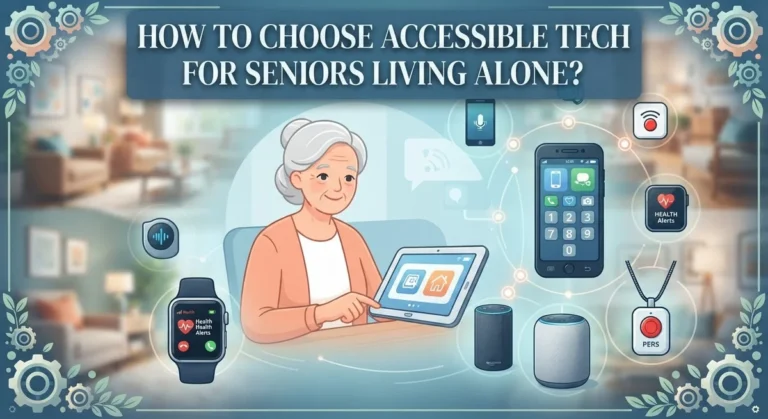
How to Choose a Medical Alert Device?
Choosing a medical alert device can feel like a big decision. You want something that keeps your loved one safe. But you also want it to fit their daily life.
These devices come in many forms. Some stay at home. Others move with you everywhere you go.
The right choice depends on a few key factors. Think about mobility needs first. Does the person stay mostly at home or go out often?
Communication ability matters too. Can they easily press a button or speak clearly during an emergency?
Comfort plays a bigger role than most people realize. A device that feels annoying often gets left in a drawer. That defeats the whole purpose.
This guide walks you through every important decision. You will learn about home based and mobile systems. You will understand monitored versus unmonitored options.
We will also cover must have features like waterproof ratings and fall detection. Battery life matters just as much as the alert button itself.
By the end, you will know exactly what to look for. You will feel confident picking a device that truly fits your situation.
In a Nutshell
Here’s a quick summary to help you decide fast.
-
Pick a system type first. Choose between a home based unit or a mobile device based on how much you move around during the day.
-
Decide on monitoring. Monitored systems connect you to a live agent in an emergency. Unmonitored systems dial a family member directly instead.
-
Check the must have features. Look for a solid waterproof rating, reliable battery life, and automatic fall detection before anything else.
-
Test comfort before you commit. A device with soft straps and no sharp edges gets worn every day. One that irritates the skin usually ends up in a drawer.
-
Make sure the SOS button is easy to use. Hands free or passive activation helps a lot during a real fall or emergency.
-
Involve the actual user in the decision. Buying a device for someone else without asking their input is one of the biggest mistakes people make.
Keep these points in mind and the rest of this guide will feel much easier to follow.
What Is a Medical Alert Device and How Does It Work
A medical alert device is a wearable or stationary system that connects you to help during an emergency. When you press a button or trigger falls automatically, the device sends an alert to a monitoring center or to your emergency contacts.
Most systems work in one of two ways. Monitored systems connect you to a live operator who listens to your situation and calls for help. Unmonitored systems send alerts directly to family members or friends you choose in advance.
Home based devices use a hub that plugs into your wall. They work through your landline or cellular connection. These units stay in one place, so they work best if you spend most of your time at home.
Mobile devices go with you everywhere. You wear them as a pendant, wristband, or smartwatch. They use cellular networks to stay connected even when you travel or go outside.
The device communicates with your support network through wireless technology. When activated, it transmits your location and medical information instantly. Operators or contacts receive your alert within seconds.
Fall detection is an important feature many devices offer. Sensors in the device recognize sudden downward motion and trigger an alert automatically. This helps if you cannot press the button yourself.
Battery life varies by device type. Wearable devices need daily or weekly charging. Home hubs typically stay plugged in continuously.
Comfort and ease of use matter most for real world situations. A device you forget to wear or find confusing won’t help you. The button should be easy to press, even with shaky hands or arthritis.
Understanding how these systems work helps you pick one that fits your lifestyle and needs.
Home-Based vs. Mobile Systems: Which Fits Your Lifestyle
A home based system stays in one location. It uses a hub that plugs into your wall outlet or connects through your internet. This setup works best if you spend most of your time at home. The hub communicates with emergency responders when you press the button.
Mobile systems move with you everywhere. These devices work through cellular networks or Bluetooth connections. You can wear them as a pendant, wristband, or smartwatch. Mobile options suit active people who travel frequently or spend time outside the home.
Consider your daily routine first. Do you leave your house often? Are you usually near your home? Your answer determines which system fits better. Someone who shops, exercises, or visits friends regularly needs mobile protection. A person who stays home most of the time benefits from a stationary hub.
Home based systems typically cost less upfront. They offer strong connectivity because they connect through your home network. However, you lose protection the moment you leave. You must remember to take a separate mobile device if you go out.
Mobile systems provide constant coverage. You wear them all day and night. The trade off is higher cost and the need to charge batteries regularly. Some people use both types for complete protection at home and away.
Think about your comfort level with technology too. Home hubs require setup with your internet router. Mobile devices need regular charging and app management. Choose whichever feels less complicated for your situation.
Your lifestyle, budget, and how active you are should guide your decision. Neither option is universally better. The right choice matches your specific daily patterns and needs.
Monitored vs. Unmonitored Systems Explained
A monitored system connects you to a live agent when you press the emergency button. The agent answers your call, assesses your situation, and dispatches help if needed. This real time human support gives you peace of mind knowing someone trained will respond.
An unmonitored system works differently. You press the button and it alerts your family members, friends, or neighbors directly through phone calls or text messages. You rely on your personal contacts to help you instead of a professional service.
Monitored systems offer 24/7 professional support. The agent can talk to you, understand what happened, and contact emergency services right away. This matters most if you live alone or cannot speak during an emergency. The agent knows your medical history and can give responders important details.
Unmonitored systems cost less money. You skip the monthly monitoring fee entirely. They work well if you have reliable family nearby who can respond quickly. However, your contacts might be busy, sleeping, or unable to reach you fast enough in a true emergency.
Consider your living situation carefully. Do you live alone? Do you have family close by? How active are you? Someone who travels often or lives far from family usually benefits from monitored service. Someone with adult children living nearby might prefer unmonitored options.
Think about your health too. If you have serious conditions or fall risks, monitored systems provide better protection. If you want a device mainly for peace of mind during occasional situations, unmonitored might suit you.
Your choice depends on your specific needs, not what works for others. Both options keep you safer than having no system at all.
Essential Features to Evaluate Before Deciding
When you evaluate a medical alert device, focus on features that match your real life. Start by checking the waterproof rating. You shower, wash dishes, and get caught in rain. A device that stops working when wet becomes useless fast. Look for ratings that specify protection during bathing and swimming.
Battery life matters more than you think. A device that dies after one day forces constant charging. Check how long the battery lasts on a full charge. Also verify the charging method. Does it use a standard USB cable you already own? Can you charge it easily with one hand?
Fall detection is valuable if you have balance problems. This feature automatically alerts your support network when it senses a sudden drop. Test how the device feels during your normal activities. Does it stay in place? Does it move around?
Comfort determines whether you actually wear it. Soft straps and smooth edges prevent skin irritation. Sharp materials or tight bands get removed and forgotten. The device must feel natural on your wrist or around your neck.
Check the SOS activation method carefully. Can you press the button with your fingers? Does it work if your hands shake? Some devices offer hands free activation by voice or automatic detection.
Ease of use prevents frustration during setup and daily operation. Can you understand the controls without a manual? Does the display show clear information? Test the device yourself before deciding. Your comfort and confidence matter most. A device you trust and wear every day protects you far better than an expensive option sitting in a drawer.
Step-by-Step Process for Selecting the Right Device
Start by asking yourself one simple question: Do you need a device that stays home or moves with you? Home based systems use a hub connected to your internet router. Mobile devices go everywhere you go. Your daily routine answers this question. If you rarely leave home, a stationary hub works fine. If you’re active and travel often, mobility matters more.
Next, decide between monitored and unmonitored systems. Monitored means a live agent responds when you press the button. They can talk to you and call for help if needed. Unmonitored systems alert your contacts directly without an agent involved. Monitored systems cost more monthly but provide professional support. Unmonitored systems save money if you prefer direct family contact.
Now evaluate the features that actually affect your daily life. Waterproof rating matters if you shower or spend time near water. Battery life determines how often you charge. A device needing daily charging gets annoying fast. Fall detection helps if you have balance issues. Check the SOS activation method carefully. Some require holding a button. Others activate hands free. Choose what feels natural for you.
Comfort decides everything. A device you hate wearing stays in a drawer. Soft straps and smooth edges prevent irritation. Test the weight on your wrist or neck. Does it feel natural? Can you forget you’re wearing it?
Finally, think about your support network. Who responds to alerts? Do they live nearby? Can they reach you quickly? Your answer guides whether you need professional monitoring or family based alerts. Your specific situation matters more than general recommendations.
Comfort, Wearability, and Daily Usability Considerations
Comfort shapes whether you actually wear your device every day. A device sitting in a drawer helps no one. This is why wearability matters more than fancy features.
Start by testing how the device feels on your skin. Look for soft straps made from materials that don’t cause irritation. Sharp edges or rough surfaces create discomfort within hours. Your wrist, ankle, or neck will tell you quickly if something doesn’t fit right.
Consider the weight of the device. Heavier units feel burdensome during normal activities. Light devices disappear from your awareness, which means you’ll keep wearing them. Pick something you forget you have on.
Strap adjustability is essential for comfort. Your wrist size changes throughout the day. Loose straps slip off. Tight straps cut off circulation. Look for devices with multiple adjustment points or flexible bands that adapt to your body.
Think about moisture and sweat. If you exercise, shower, or live in humid climates, your device encounters water constantly. A device that stops working after getting wet creates safety gaps. Check the waterproof rating carefully.
Test the button placement and activation method. You need to reach the emergency button easily without fumbling. Your fingers should press it without confusion, especially during stressful moments.
Battery life connects directly to wearability. A device requiring daily charging becomes a hassle. You’ll forget to charge it or skip wearing it on low battery days. Look for options that last several days between charges.
Ask yourself honestly: Will I wear this every single day? If the answer is no, the device isn’t right for you. Comfort determines actual protection. A device you don’t wear provides zero safety, regardless of its features or price.
Common Mistakes to Avoid When Choosing a Device
People make several predictable mistakes when selecting a medical alert device. Understanding these errors helps you avoid wasting money or ending up with something you won’t use.
The biggest mistake is buying a device for someone else without asking them first. What you think they need may not match what they actually want. The person wearing the device must feel comfortable with it. Their input matters more than your assumptions.
Many people overlook comfort factors entirely. They focus on features and price but ignore how the device feels during daily wear. A device that causes skin irritation or feels too heavy gets left in a drawer. You end up with an expensive paperweight instead of protection.
Battery reliability is another common oversight. Shoppers get excited about fancy features but ignore how long the battery lasts. A device that requires charging every single day becomes a burden. You’ll eventually forget to charge it, leaving you unprotected when you need it most.
Some people rush through the setup process without fully understanding their system. They skip reading instructions or don’t test the emergency button before an actual emergency. This confusion wastes critical seconds when you need help fast.
Others ignore their own lifestyle when making a choice. An active person picks a home based system. A person with limited mobility selects a device that requires constant charging. Your choice must fit how you actually live.
Finally, people sometimes negotiate poorly before purchase. They accept the first price quoted without asking about discounts or payment plans. Shopping around and discussing pricing options saves you real money.
Troubleshooting Setup and Connectivity Concerns
When you first set up your medical alert device, connection problems can feel frustrating. The good news is that most issues have simple solutions you can try yourself.
Start with the basics first. Check that your device has power. Charge it fully before troubleshooting anything else. A dead battery causes most setup failures. Plug the charger into a working outlet and wait at least 30 minutes.
Next, verify your internet connection. Home based systems need strong WiFi or cellular signals to work properly. Move your hub closer to your router. Remove physical barriers like walls or metal objects between them. If you use a mobile device, check that cellular coverage exists in your area.
Restart your equipment. Unplug your hub or device for 60 seconds, then plug it back in. This simple step fixes many connection glitches. Your system needs time to fully boot up again.
Check your account settings through the app or website. Confirm that your emergency contacts are saved correctly. Verify that your device is registered under your account. Missing information causes the system to fail during emergencies.
Test your SOS button in safe mode if available. This lets you confirm the connection works without alerting emergency services. Follow your system’s test procedures carefully.
Contact your support team if problems continue after these steps. Write down exactly what happens when you try to connect. Note any error messages you see. Provide this information to customer support for faster help.
Remember, patience matters during setup. Most connection issues resolve within your first few hours. Give your system time to sync properly across all devices.
Final Thoughts
Choosing a medical alert device comes down to your daily life and personal needs. Think about your mobility first. Do you stay mostly at home, or do you move around often?
Your answer points you toward a home based system or a mobile device. Both options work well, but they suit different lifestyles.
Next, decide between monitored and unmonitored service. Monitored systems connect you to trained help fast. Unmonitored systems call your chosen contacts directly.
Look closely at key features before you buy. Waterproof rating matters because accidents often happen in bathrooms. Battery life matters because a dead device cannot help you.
Fall detection adds another layer of safety. It works quietly in the background and alerts help even if you cannot press a button.
Check the charging setup too. Some devices need daily charging, while others last for days on one charge.
Setup should feel simple, not stressful. A good device asks for only a few steps before it works properly.
Take time to test the device before you settle on it. Wear it, charge it, and press the button once. This helps confirm it actually fits your routine.
Your final choice should feel natural, not forced. The best device is one you will actually use every day.
Trust your own judgment more than flashy marketing claims. Your comfort, safety, and confidence matter most in this decision.
A thoughtful choice today gives you peace of mind tomorrow. Take your time, ask questions, and pick what truly fits your life.
Frequently Asked Questions
What’s the difference between monitored and unmonitored systems?
Monitored systems connect you to trained operators 24/7. When you press your button, a real person answers and can call for help or contact emergency services. Unmonitored systems work differently. They alert family members or friends directly instead of a monitoring center.
Monitored systems offer professional support anytime. Unmonitored systems cost less and give you more control. Your choice depends on your comfort level and budget.
Should I choose a home based or mobile device?
Home based devices use a hub that stays in one place. They work best if you spend most time at home and have a phone line or internet connection. Mobile devices go everywhere with you. They work through cellular networks or Bluetooth.
Think about your daily routine. If you travel often or live an active lifestyle, mobile makes sense. If you prefer staying home, a home based system works fine.
What features matter most when comparing devices?
Waterproof ratings keep your device safe in bathrooms and kitchens. Battery life determines how often you charge. Fall detection automatically alerts help if you fall. Comfort affects whether you’ll actually wear it.
Check the strap materials too. Sharp edges or rough fabric discourage daily use. A device sitting in a drawer helps no one.
How important is ease of use?
Very important. A complicated system frustrates you and discourages regular use. You need something you can operate quickly during an emergency.
Test the button response. Check if the screen displays clearly. Confirm the setup process feels manageable for your skill level.

Dillip is the founder and editor of CodeAndGen.com, where he simplifies tech for everyday users through in-depth reviews, honest comparisons, and practical buying guides. When he’s not testing the latest gadgets, he’s researching the next big thing in tech to help readers make smarter, more confident purchasing decisions.