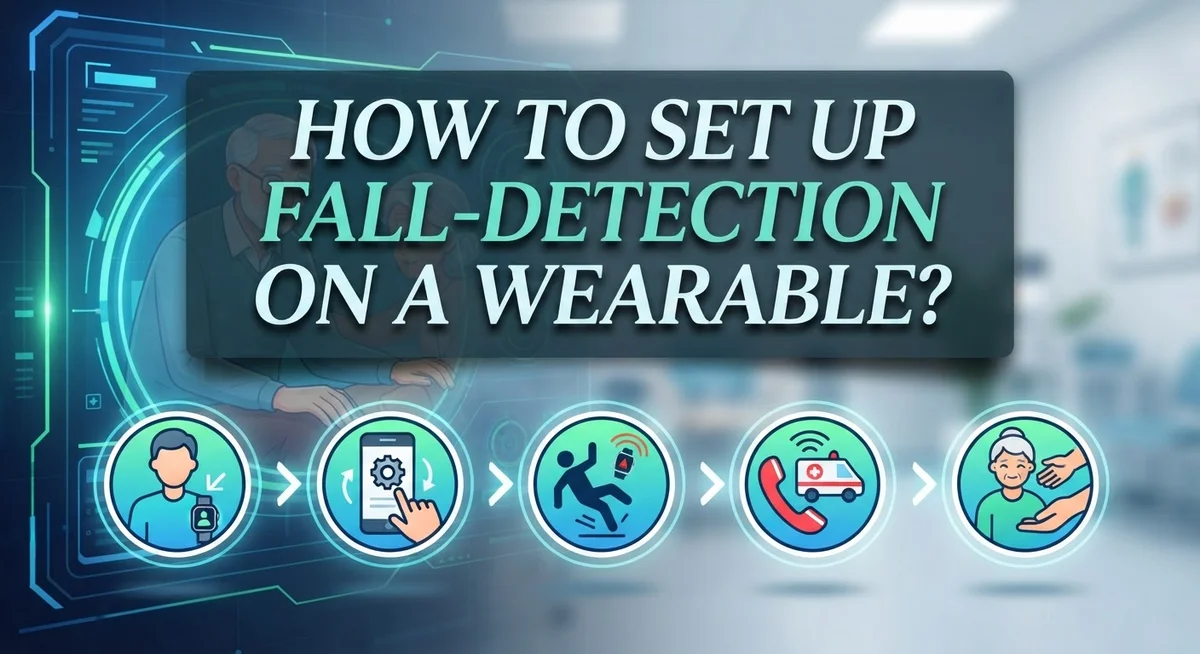
How to Set Up Fall-Detection on a Wearable?
Imagine your wearable device senses a hard fall and instantly alerts your loved ones. This is not science fiction. It is a real feature you can set up today.
Fall detection uses smart sensors inside your watch or wristband. These sensors notice sudden movements that match a fall pattern.
Once triggered, your device sends alerts to emergency contacts. Some devices even call for help automatically.
This feature gives you peace of mind. It helps older adults, active individuals, and anyone who wants extra safety.
Setting up fall detection is simple. You just need to know the right steps.
In this guide, we walk you through the full setup process. You will learn how to enable fall detection on your wearable.
We also cover how to add emergency contacts. This step is critical for the feature to actually work.
You will discover common mistakes people make. We show you how to avoid them.
By the end, your wearable will be ready to protect you. Let’s get started with the setup process.
In a Nutshell
Here’s a quick rundown to get fall detection working on your wearable:
-
Turn on the feature first. Go to your device’s Settings app, then find SOS or Safety options. Look for Fall Detection and switch it on.
-
Choose “Always on” mode. This keeps your wearable watching for falls all the time. Without this, you might have gaps in protection.
-
Add emergency contacts. Open the Health app on your phone and update your Medical ID. This step lets your device know who to call when it detects a fall.
-
Check both devices. Don’t just glance at your watch settings. Open the companion app on your phone too, since some options only show up there.
-
Test the setup. Make sure everything works before you actually need it. A quick check now saves stress later.
-
Avoid rushing the process. Skipping emergency contact setup is a common mistake. Take a few extra minutes to get it right.
Follow these steps, and your wearable will be ready to send help when you need it most.
What Is Fall Detection and How Does It Work
Fall detection is a safety feature built into many modern wearables. Your device uses accelerometers and gyroscopes to sense sudden, hard movements that match a fall pattern. When the sensors detect this motion, they trigger an alert.
Here’s what happens next. Your wearable first pauses and asks if you need help. You have a few seconds to cancel the alert if it was a false alarm. If you don’t respond, the device automatically calls emergency services or your chosen contacts.
The technology works by measuring changes in motion and impact force. Sensors track your movement in three dimensions. When your device detects a rapid downward motion followed by an abrupt stop, it recognizes this as a potential fall. The wearable then springs into action.
Different devices use slightly different detection methods. Some rely purely on motion data. Others combine motion with additional factors like your activity level and location history. This helps reduce false alarms from activities like jumping or quickly sitting down.
Fall detection typically works continuously once you enable it. Your device stays alert whether you’re moving or standing still. This constant monitoring means help can arrive faster if you actually fall.
The feature is especially helpful for older adults and people with balance issues. However, anyone can benefit from this automatic safety net. You don’t need to remember to activate it each day. Once you set it up properly, your wearable watches for falls around the clock.
Understanding how fall detection works helps you use it correctly. You’ll know why certain setup steps matter. You’ll also appreciate why testing your configuration is so important before you truly need the feature.
Why Fall Detection Matters for Safety
Falls happen quickly and without warning. They can cause serious injuries, broken bones, or head trauma. The problem is that many people cannot call for help after a fall, especially if they live alone or have mobility issues.
Fall detection on your wearable solves this problem. Your device becomes a personal safety guardian that works 24/7. When a fall occurs, sensors detect the sudden drop and impact. Your wearable then sends automatic alerts to emergency contacts you’ve chosen beforehand.
This feature matters most for older adults, people with balance problems, and those living independently. Even younger people benefit from fall detection during activities like hiking or sports. The peace of mind alone makes it worthwhile to set up.
Speed is critical after a fall. Every second counts when someone needs medical help. Your wearable eliminates the delay of reaching a phone or calling out for assistance. Emergency responders can arrive faster when alerts go out immediately.
Fall detection also reduces false alarms. Your device won’t trigger alerts from normal movements like sitting down quickly or jumping. Advanced sensors distinguish real falls from everyday actions. This accuracy means emergency contacts take your alerts seriously.
Without fall detection enabled, your wearable is just a watch or fitness tracker. With it activated, your device becomes a safety tool. The setup takes only minutes, but the protection it provides lasts indefinitely.
Many people assume fall detection works automatically. It doesn’t. You must enable the feature and configure emergency contacts first. This is why understanding why fall detection matters helps you prioritize setting it up correctly today.
Step-by-Step: Enabling Fall Detection on Your Wearable
Before you start, gather the information you’ll need. Have your phone nearby because you’ll be switching between your wearable and its companion app. Make sure your wearable has a full battery charge. Low battery can interrupt the setup process.
First, unlock your wearable device. Navigate to the Settings app directly on your device screen. Look for options labeled SOS, Safety, or Emergency features. The exact location varies depending on your device model, so scroll through the menu carefully.
Once you find fall detection, tap to open it. You’ll see an option to enable or turn on the feature. Select this option to activate fall detection on your wearable. This is the essential first step.
Next, choose the monitoring mode. Select “Always on” to ensure your device watches for falls continuously throughout the day and night. This setting provides consistent protection without gaps in coverage.
Now open the companion app on your phone. Access the Health app or the equivalent safety section. Find your Medical ID settings and add at least one emergency contact. Include their phone number and relationship to you. This information helps responders understand who to notify.
Double check your work by reviewing settings on both devices. Open Settings on your wearable again and confirm fall detection shows as enabled. Then check the companion app to verify your emergency contacts saved correctly.
Finally, test the setup by asking a trusted friend or family member to confirm they’re listed as an emergency contact. This simple verification ensures your wearable can actually reach someone if needed. Your device is now ready to detect falls and alert help automatically.
Configuring Emergency Contacts and Medical ID
Your emergency contacts are the lifeline of fall detection. Without them, your wearable cannot alert anyone when you need help. Setting them up correctly takes just a few minutes and makes a real difference.
Start by opening the Health app on your phone. Look for the Medical ID section. This is where your emergency contact information lives. Tap “Edit” to add or update your details.
Enter at least two emergency contacts. Choose people who live nearby and answer their phones regularly. Family members work best, but close friends are good options too. Make sure each contact has your current phone number saved in their device.
Add your medical information to Medical ID. Include any allergies, medications, or health conditions that matter. This information appears on your lock screen when emergency services need it. First responders can access it without unlocking your device.
Verify your contacts have the correct phone numbers. Call them to confirm they’ll answer unknown numbers. Some people ignore calls from numbers they don’t recognize. Let your contacts know they might receive emergency alerts from your wearable.
Check that fall detection is actually enabled. Open your watch settings and confirm the feature is turned on. Then check your phone’s companion app for the same confirmation. Both devices should show fall detection as active.
Test the system without triggering an actual alert. Ask a contact if they received any notifications. This confirms your setup works before a real emergency happens.
Taking these steps now prevents confusion later. Your emergency contacts need clear information to help you quickly.
Best Practices for Reliable Fall Detection
Fall detection works best when you follow a few straightforward practices. Start by enabling “Always on” mode rather than letting your wearable switch to a power saving state. This keeps the sensors active at all times, so your device can catch a fall whenever it happens.
Position your wearable correctly on your body. Wear it snugly on your wrist or around your neck, depending on your device type. A loose fit can cause false readings or missed detections because the sensors won’t register movement accurately.
Test your setup regularly to make sure everything works. Ask a trusted friend or family member to confirm they received a test alert. This simple step catches problems before a real emergency occurs.
Keep your device charged above 20 percent battery. Fall detection uses more power than basic timekeeping, so low battery levels can reduce reliability. Charge your wearable each night or whenever you notice the battery dropping.
Review your emergency contacts every few months. Phone numbers change, and people move. Make sure the contacts you listed still live nearby and answer their phones regularly.
Avoid turning off fall detection to save battery power. The protection it provides outweighs the minimal battery drain. If battery life concerns you, charge more frequently instead.
Disable fall detection only when necessary, such as during contact sports or activities where accidental falls are common. Re enable it as soon as the activity ends.
Check both your wearable settings and your paired phone app to confirm fall detection remains enabled. Settings sometimes reset after software updates, so verification takes just a minute and prevents gaps in your protection.
Common Setup Mistakes to Avoid
Many people make simple mistakes when setting up fall detection. These errors often leave gaps in protection when you need it most.
The biggest mistake is skipping “Always on” mode. Some users enable fall detection but leave it in standby mode. This means your wearable only watches for falls during certain times. You lose protection when you’re most vulnerable, like at night or during quiet moments at home. Always choose continuous monitoring if your device offers this option.
Another common error is forgetting to add emergency contacts first. You enable fall detection, but nobody receives the alert when a fall happens. Your device detects the fall perfectly, yet your family has no idea. Set up your emergency contacts before you activate fall detection. This ensures the system can actually reach someone when it matters.
Many people check settings only on their wearable itself. They verify fall detection is on, but they miss important settings on their paired phone app. The companion app on your phone often controls additional features like alert preferences and contact information. Check both your wearable and your phone to confirm everything matches.
Don’t ignore battery levels. Fall detection stops working when your battery drops too low. Keep your device charged above 20 percent to maintain protection. Some people turn off fall detection to save battery power, which defeats the purpose entirely.
Finally, avoid setting up fake or outdated emergency contact numbers. Test your contacts by calling them before activating fall detection. Confirm they’ll answer calls from unknown numbers. Review your contact list every few months to catch any changes in phone numbers or addresses. These simple checks prevent serious problems later.
Troubleshooting Fall Detection Issues
When fall detection stops working, the problem usually comes from a few simple issues. Start by checking if the feature is actually enabled. Open your wearable’s settings and look for fall detection. Make sure it shows as “on” or “active.” Many devices have this feature disabled by default, so you need to turn it on manually.
Next, verify that “Always on” mode is selected. Some wearables let you choose between continuous monitoring and standby mode. Standby mode leaves gaps in protection. Select the option that keeps monitoring running at all times.
Check your emergency contacts next. Fall detection only helps if your device can reach someone. Open your Medical ID section and confirm at least two contacts are listed with correct phone numbers. Call these people to verify they’ll answer calls from unknown numbers.
Battery level matters too. Fall detection stops working when your battery drops below a certain threshold, often around 20 percent. Keep your device charged regularly to maintain protection.
If problems continue, check your paired phone app. Some devices require you to confirm fall detection settings on both your wearable and your smartphone. Settings on just one device won’t work properly.
Restart your wearable if nothing else helps. Power it off completely, wait 30 seconds, then turn it back on. This fixes many software glitches that block fall detection from working correctly.
Finally, update your device software. Manufacturers release updates that fix bugs and improve fall detection accuracy. Check for available updates in your device settings or companion app regularly.
Testing and Verifying Your Fall Detection Setup
Testing your fall detection setup ensures it actually works when you need it. Start by checking that fall detection is enabled in your wearable’s settings app. Open Settings, locate the SOS or Safety section, and confirm the feature shows as active. Look for an “Always on” toggle and verify it’s switched to the on position. This mode keeps fall detection running continuously instead of only during certain times.
Next, check your paired phone app. Many people only verify settings on their wearable itself, which misses important details. Open the companion app on your smartphone and navigate to the same settings area. Confirm that fall detection appears enabled there as well. Both devices should show matching information.
Test your emergency contact configuration. Call each person you listed to make sure they’ll answer unknown numbers. Verify their phone numbers are correct and current. Ask them to confirm they received your contact information and understand they may get emergency alerts from your wearable.
Check your Medical ID information. Open the Health app on your paired phone and review what appears in your Medical ID profile. Emergency responders will see this information, so ensure it’s accurate and complete. Update any allergies, medications, or important health conditions.
Finally, confirm your battery level is above 20 percent. Fall detection stops working when battery drops too low. Charge your device fully and test the settings one more time. Make a note of when you completed this verification. Plan to retest your setup every few months to catch any changes or errors early.
Final Thoughts
Setting up fall detection on your wearable takes just a few minutes. But those minutes can make a real difference in an emergency.
Enable fall detection through your device settings first. Then switch to “Always on” mode for full time protection.
Your emergency contacts matter just as much as the sensor itself. Add these contacts through your Health app or Medical ID before you activate fall detection.
Think of fall detection as a safety layer, not a replacement for common sense. It works best alongside other safety habits like wearing your device properly and keeping it charged.
Regular checks keep your system reliable. Open your settings every few weeks to confirm everything still works as expected.
Small oversights cause most fall detection failures. Skipping the “Always on” setting or forgetting emergency contacts creates gaps you might not notice until it’s too late.
Take a few minutes today to review your setup. Check that your contacts are current and your battery stays above the recommended level.
Fall detection technology continues to improve each year. Manufacturers add new features and refine accuracy with each software update.
Stay informed about updates to your specific device. New features sometimes require you to revisit your settings and adjust them accordingly.
Peace of mind comes from knowing your wearable will alert someone if you fall. This matters most for older adults, people who exercise alone, or anyone with health conditions that increase fall risk.
Setting up fall detection is simple. The steps take little time, but the protection they offer is valuable.
Take action now rather than waiting. A properly configured wearable could make all the difference when you need help most.
Frequently Asked Questions
What sensors does fall detection use to work?
Fall detection relies on accelerometers and gyroscopes built into your wearable. These sensors measure sudden changes in motion and direction. When you fall, the sensors detect a rapid downward acceleration followed by impact. The device then triggers an alert to confirm if you need help.
Can I customize which contacts get notified when I fall?
Yes, you can choose your emergency contacts through your device’s health app. Most wearables let you add multiple people to receive notifications. You should verify each contact’s phone number is current and correct. Double check that contacts can actually receive calls and messages at the numbers you entered.
Will fall detection work if my wearable is in a pocket or bag?
Fall detection works best when the device stays on your body. If your wearable is loose or not worn properly, it may not detect falls accurately. Wearing it snugly on your wrist or as a pendant gives the sensors the clearest motion data. Loose placement reduces the reliability of detection.
How do I know if fall detection is actually working on my device?
Check your device settings to confirm “Always on” mode is selected. Open the settings app on your wearable or the companion app on your phone. Look for fall detection in the safety or health section. You should see a toggle or switch that shows enabled status.
What happens after fall detection triggers an alert?
Your wearable displays a countdown timer giving you time to cancel the alert. If you don’t respond, it automatically calls your emergency contacts. Some devices also send your location to those contacts. The alert continues until someone responds or you manually dismiss it.

Dillip is the founder and editor of CodeAndGen.com, where he simplifies tech for everyday users through in-depth reviews, honest comparisons, and practical buying guides. When he’s not testing the latest gadgets, he’s researching the next big thing in tech to help readers make smarter, more confident purchasing decisions.